
Images
| Document kind | media |
| Drawn from | a file — it can also be previewed in the file manager |
| Formats that open here | PNG · JPEG · GIF · WebP · BMP · AVIF · TIFF (.tif, .tiff) |
| Refuses to draw below | 160px wide |
What it draws
The image. A gel photograph, a micrograph, a figure out of a paper, a plate scan — whatever you dropped into the project, at whatever size it really is.
Six of the seven formats your browser decodes itself, and this view gets out of the way: EXIF orientation, embedded colour profiles and progressive rendering all behave exactly as they do everywhere else, because it is the same decoder.
TIFF is the one that is different, and it is the reason this view exists. No browser decodes a
TIFF. It is also what almost every scientific camera writes. So a .tif that opens nowhere else —
in a browser, in a chat window, in most document viewers — opens here.
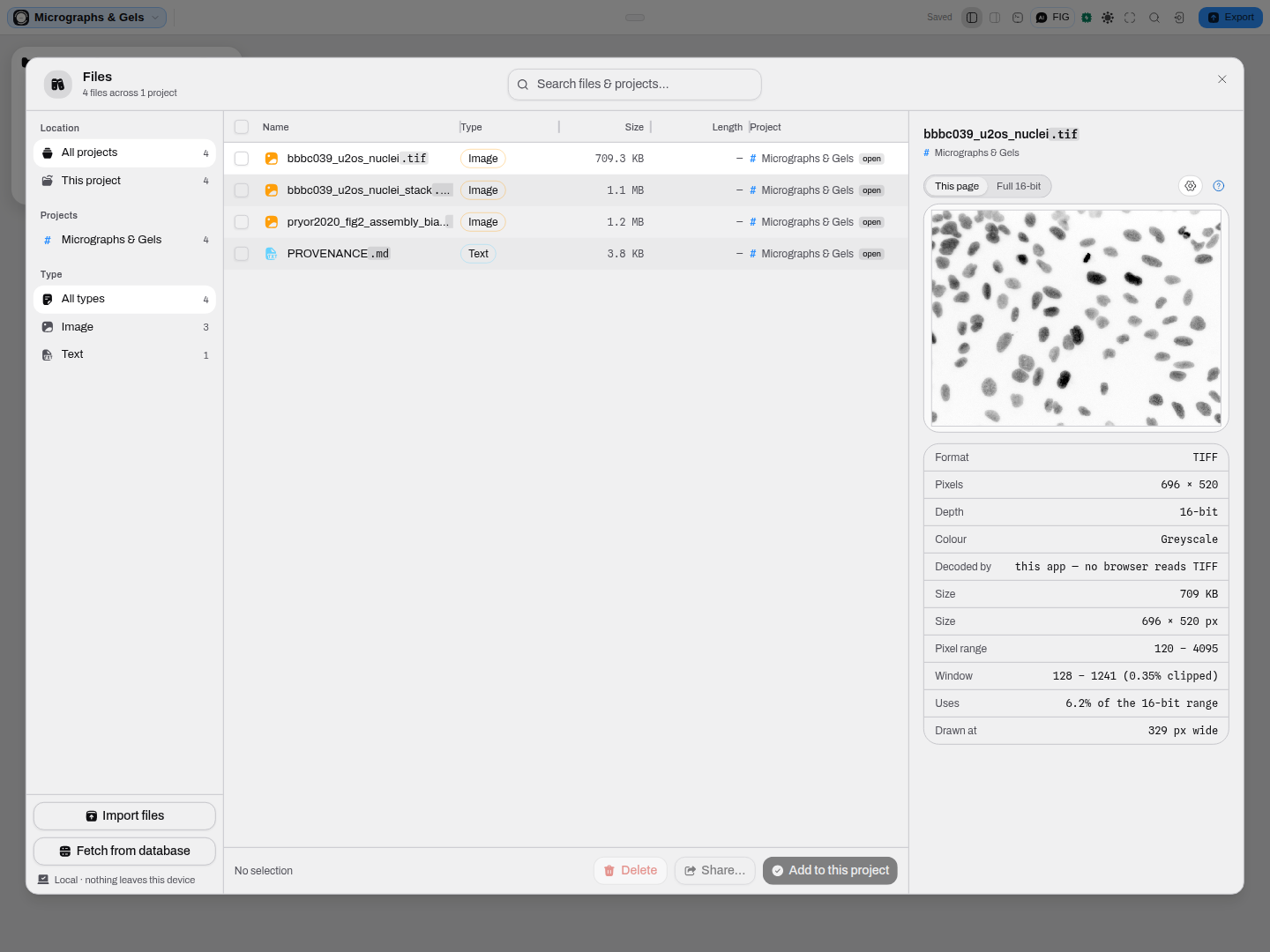
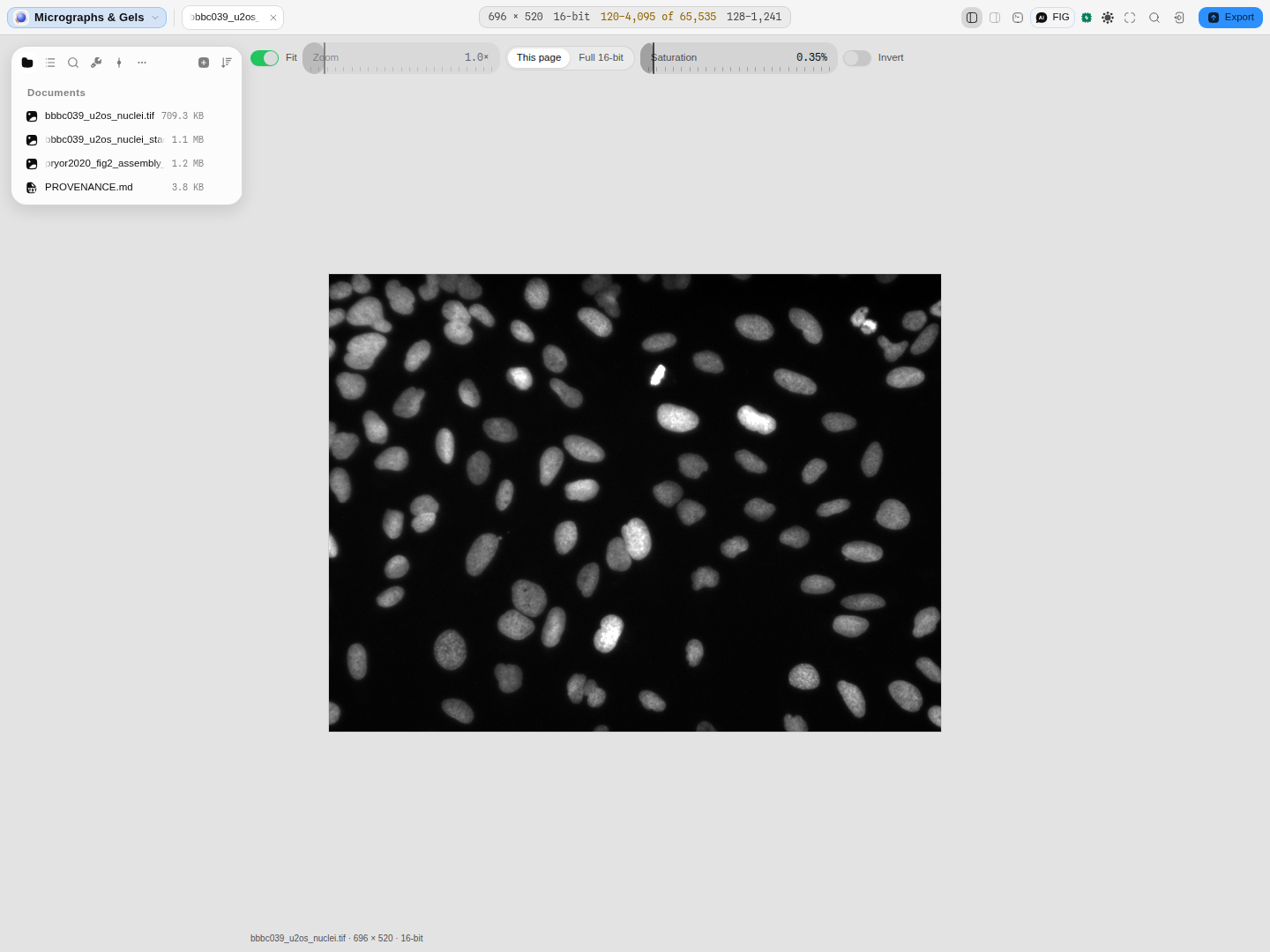 U2OS cell nuclei, 696 × 520, 16-bit. The bar reads the measured pixel range, which is the number that decides whether you can see anything.
The 16-bit problem, which is the whole point
A scientific camera has a 12- or 14-bit sensor and writes into a 16-bit file. So the pixels of a real micrograph might span 120 to 4095 out of a possible 0 to 65535 — about a sixteenth of the range the file can hold.
Something has to decide which of those 65,536 possible values is black on your screen and which is white. That decision is the display window, it is not recorded in the file, and it changes what you see far more than anything else on this page.
The three windows, and when each is right
| Levels | Black is | White is | When you want it |
|---|---|---|---|
This page, Saturation 0.35% | the value below which 0.175% of pixels fall | the value above which 0.175% fall | Looking at the image. The default, and ImageJ's |
This page, Saturation 0 | the darkest pixel present | the brightest pixel present | Auditing the file's true extent |
| Full 16-bit | 0 | 65,535 | Comparing pages, or seeing what the container holds |
The middle row is the trap, and it is why the default is not it. Taking the darkest and brightest pixel sounds like the neutral choice. On the bundled micrograph it is not: 129 pixels out of 361,920 — 0.036% of the image, a handful of saturated specks — reach 4095 and drag white all the way up with them. A genuinely bright nucleus then lands at 52 out of 255, and the picture reads as a faint grey smudge that looks like a failed exposure.
Clip those specks and the same nucleus lands at 183 of 255. That is the whole of what the
Saturation control does: it is the percentage of pixels allowed to blow out, half at the dark
end and half at the bright end, and at 0.35% it is the same rule and the same default as ImageJ's
Enhance Contrast and the Auto button in Brightness/Contrast.
Drag Saturation to 0 any time you want the honest full extent instead — the readout says
min–max when you are there, and the bar always shows the window actually applied, so a number you
report is a number you can check.
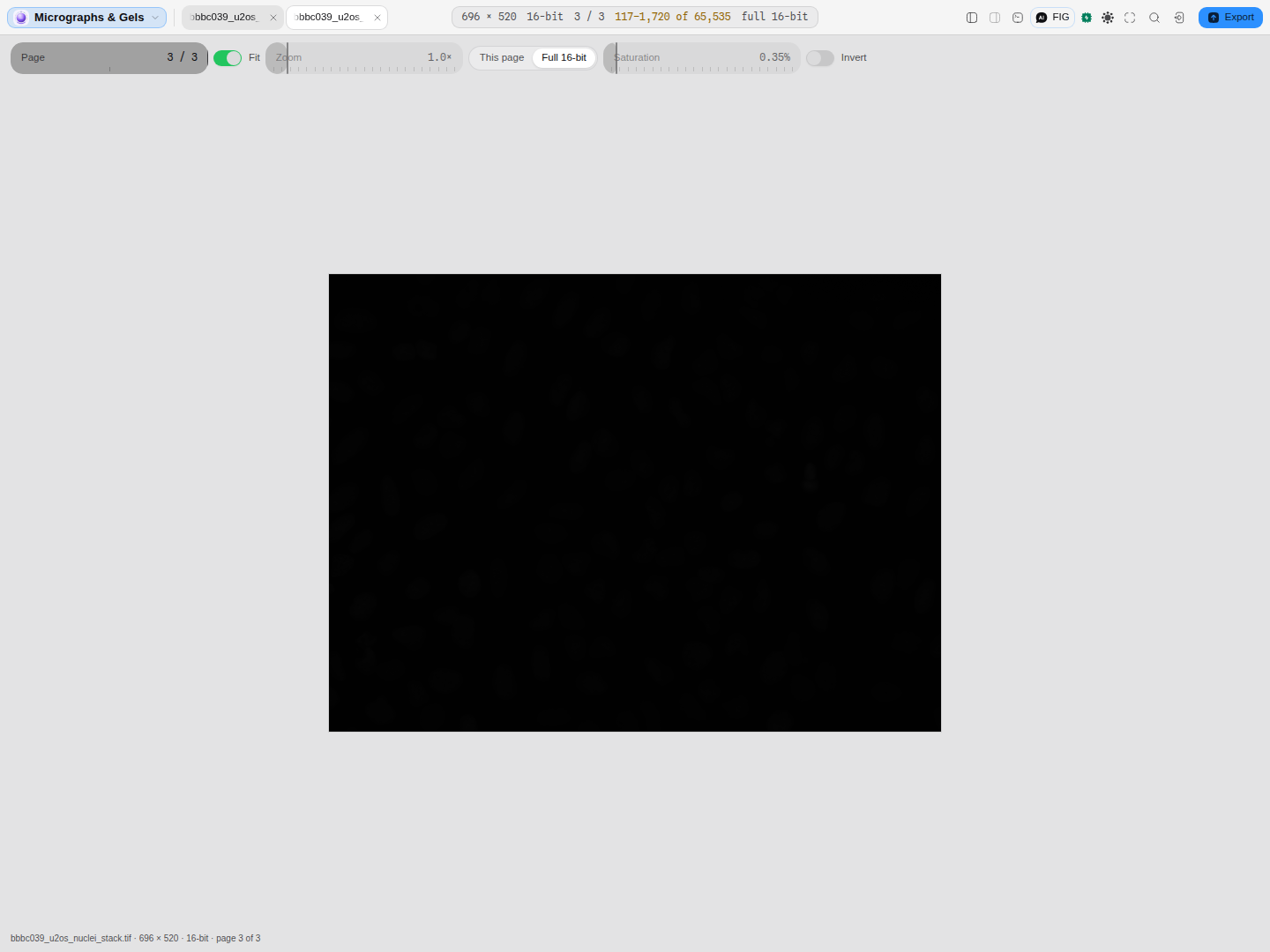 The third field of the bundled stack under Full 16-bit: the nuclei are still there, at about 7 of 255. This is the mapping most viewers apply silently, and the reason a perfectly good
 .tif so often looks empty when you open it anywhere but the acquisition software.
Neither is wrong: one shows you the data, the other shows you the container. This view names which one it is using, shows the measured range beside it, and lets you move between them. The bar flags a range under an eighth of the container, because that is exactly when the difference stops being cosmetic.
Reading a stack
A TIFF can hold many images in one file — z-planes, time points, or channels. The Page control steps through them, and the bar says which page you are on.
The format does not record which of the three it is, so this view does not claim to know. It reports pages.
One thing worth knowing when you compare pages: with This page levels, every page gets its own window, so they look more alike than their raw values are. Switch to Full 16-bit and their real differences show. The bundled stack is a good demonstration — its three fields span 120–4095, 122–1998 and 117–1720, and their windows at the default saturation are 128–1241, 130–1138 and 129–1051.
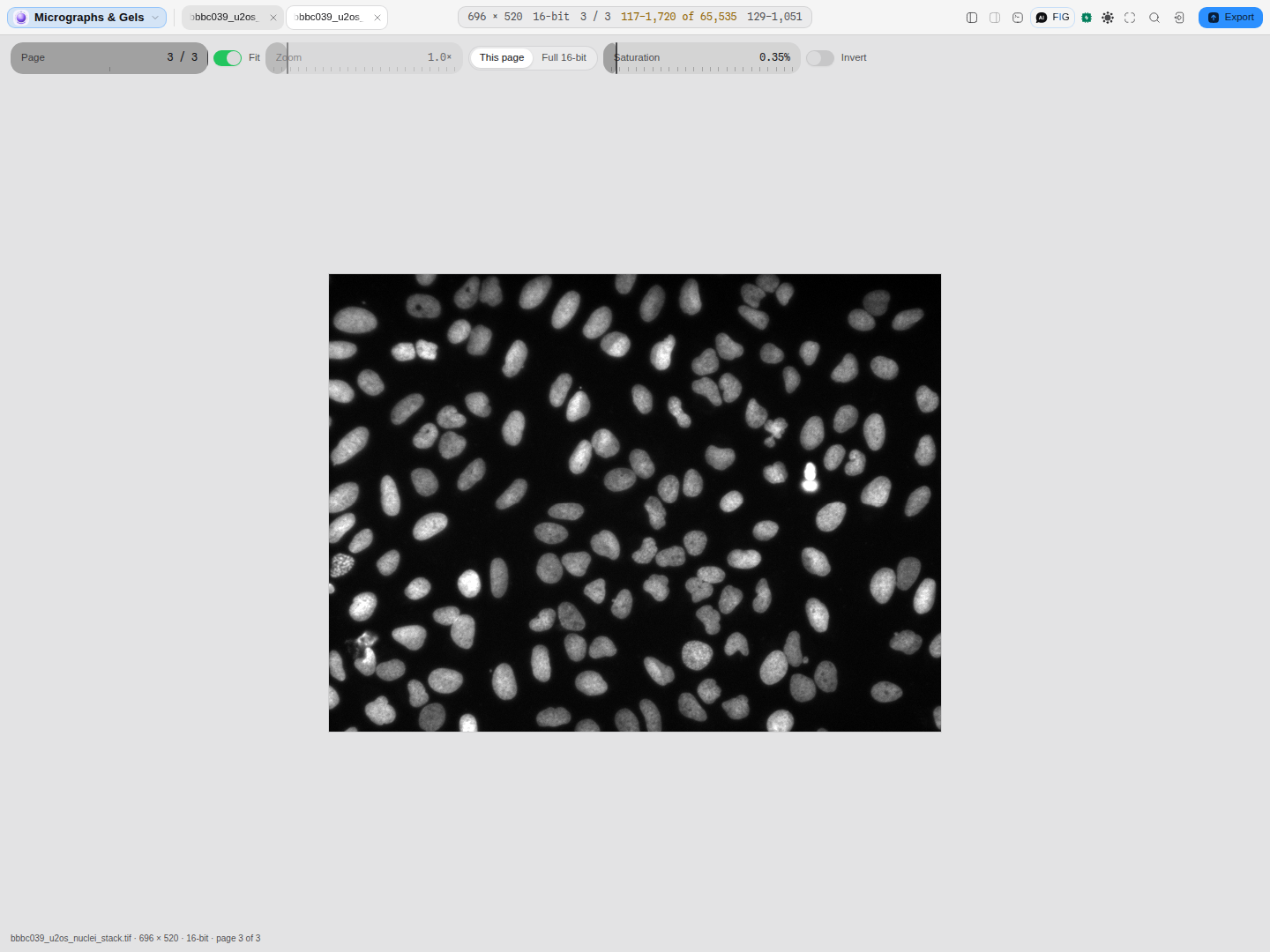 The third page of the bundled stack: a denser field than the first, its own window, and the page control reading 3 of 3.
Controls
| Control | What it does |
|---|---|
| Page | Which image of a multi-page TIFF to show. Only present when the file has more than one. |
| Fit | Scale the image down to the pane. A mode, not a number, so it keeps holding as the pane resizes. |
| Zoom | Draw at a multiple of the image's own pixels — 1× is one image pixel per screen pixel. Disabled while Fit is choosing, with that reason. |
| Levels | How deeper-than-8-bit samples map to the screen. Only present when the file actually has them. |
| Saturation | Percent of pixels the window may clip, half at each end. 0.35% by default, 0 for plain minimum-to-maximum. Disabled while Full 16-bit is mapping the whole container, with that reason. |
| Invert | Swap black and white — a fluorescence image is often easier to read on white. Only for images decoded here, which the browser's are not. |
What this computes
For the six formats a browser decodes itself, nothing — it is the same decoder, so EXIF orientation, embedded colour profiles and progressive rendering behave exactly as they do everywhere else. TIFF is the one that is different, and it is the reason this canvas exists.
What it reports about any image, read from the file's own header rather than from its name, so an image with the wrong extension still reports what it is: format, pixel dimensions, bits per sample, colour model, and page count.
And, for anything decoded here:
- The measured pixel range — the actual minimum and maximum values present — and how much of the container they use. On a 16-bit micrograph this is the number that decides whether you can see anything, because a 12- or 14-bit sensor writes into a 16-bit container and the raw picture is black.
- An auto-contrast window, computed the way ImageJ computes it. This is a faithful port of ImageJ
1.x's
ContrastEnhancer.getMinAndMax, graded against that Java code compiled and run over the same bundled TIFF pages rather than against a description of it — so the window is the one ImageJ would give you, which is the only useful standard for a micrograph. - The histogram that window is derived from.
The measured range is always shown beside the image, because an auto-contrasted micrograph and a saturated one look alike and only the numbers tell them apart.
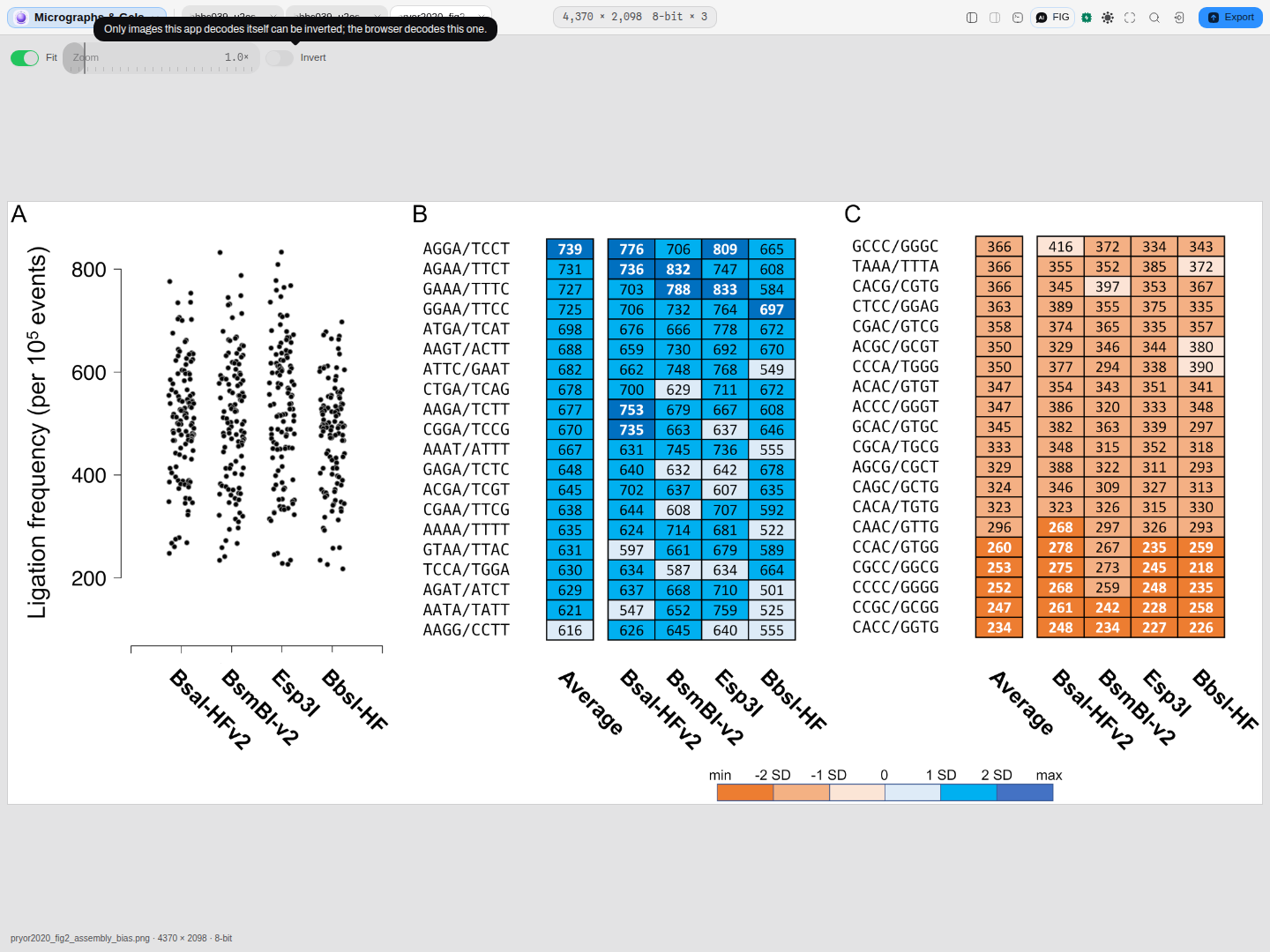 A 4370 × 2098 figure from the Golden Gate fidelity study, decoded by the browser rather than here — which is why Invert is switched off and says so when you ask it.
 The same micrograph with Invert on, previewed in the file manager rather than opened. Dark nuclei on white is usually the easier read for a fluorescence image, and it is the same viewer either way.
What you can take out of it
The intensity histogram of the page you are viewing, as CSV: one row per intensity value, with the number of pixels that hold it.
This is the measurement the display window is chosen from, and on a scientific camera's image it is the thing worth having. A 16-bit micrograph cannot be read without a window, the window is picked from this distribution, and the file's own bytes will not give it to you without decoding the page again. The description names the page, the number of pixels measured, the range actually present, and the window currently mapped to black and white.
Only decoded pages carry one. An image the browser drew for us — a PNG or a JPEG — was never measured here, and the export says that rather than writing an empty file.
The picture itself is not offered here. What is on the canvas is a rendering: your window, your inversion, your zoom. Exporting a drawing is a different job from exporting a measurement, and conflating them would give you a file that looks like the microscope's output and is not.
Where it appears
As a stage tab, and in the file manager preview. Both use the same viewer, so an image reads the same way whichever door you came through.
Performance and limits
- Nothing is decoded to answer "what is this". Dimensions, depth, colour model and page count come out of the header, so selecting a 40-megapixel scan in the manager costs what selecting a thumbnail costs.
- Files over 128 MB are refused rather than loaded, with the size stated. The number that actually bites is pixels rather than bytes — an image is four bytes per pixel once decoded — so the dimensions are always stated before anything is drawn.
- BigTIFF is declined, not half-read. It is a different format wearing the same extension (version 43 rather than 42), and saying so beats failing later.
- A compression this reader cannot decode is NAMED, not drawn as black. Uncompressed, LZW, PackBits, Deflate (both of the tags that mean Deflate), CCITT G3/G4 and JPEG-in-TIFF all open. A page compressed with something else — JPEG 2000 out of a slide scanner, LZMA, Zstandard — is reported by name with what to convert it to, and if only some pages are affected the bar says how many were skipped. A blank rectangle is never the answer, because a blank rectangle is indistinguishable from an image that really is blank.
Provenance of correctness
The bundled micrograph is BBBC039v1 from the Broad Bioimage Benchmark Collection, released CC0 — real fluorescence microscopy from a published chemical screen, not a rendering made to demonstrate a viewer. Its pixel values here are the published ones.
The header readers are checked against Pillow and tifffile over a corpus covering every format and colour model above, including progressive JPEG and multi-page TIFF: 14 files, 14 of 14 agreeing on dimensions and page counts.
The display window is checked against ImageJ's own code, compiled and run over the same four bundled pages at four saturations — 16 of 16 windows agreeing exactly, including the two places ImageJ's arithmetic rounds in a way a straightforward reimplementation would not. So a window here is the window ImageJ would pick, to the sample value.
Related
An image in a project usually belongs to the data beside it — the gel that produced the bands a digest predicts, or the figure from the paper whose supplementary tables you are reading.